  1. Blog
  2. Article

Canonical
on 3 August 2017

Upgrading your Ubuntu-on-Windows install to the app version


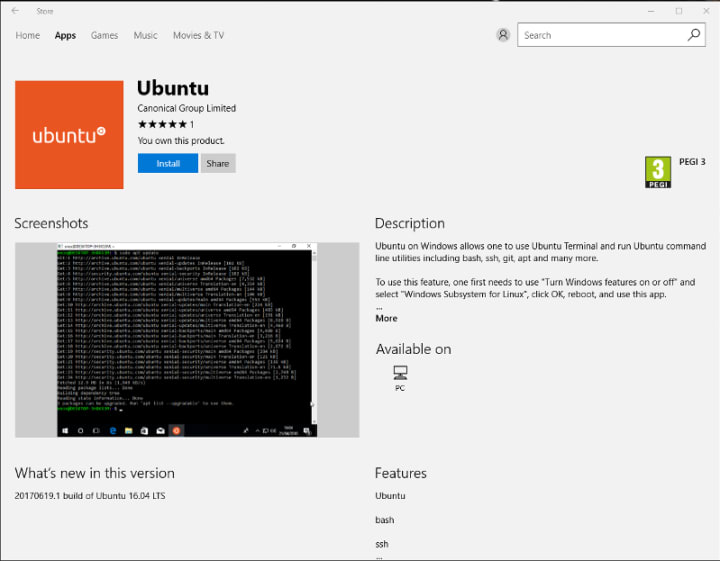
Our team and Microsoft recently released Ubuntu as a Windows app store application! If you toyed with the “bash on Ubuntu on Windows” version before and would like to try the latest and greatest, read on!
Saving your data

If your “bash on ubuntu on windows” environment has some data you’d like to keep, make sure you back it up now. The uninstall process will nuke everything.

Uninstall the old way

This is relatively simple. Opening a command line (cmd.exe) terminal and typing

lxrun /uninstall

will destroy your previous environment.

Installing the new way

To find the app in the Microsoft store, just type “Ubuntu” in the search bar. Click install. Voilà!

Related posts


Canonical
23 April 2026

Canonical releases Ubuntu 26.04 LTS Resolute Raccoon

Cloud and server Article

The 11th long-term supported release of Ubuntu delivers deep silicon optimization and state-of-the-art security for enterprise workloads. ...


Samir Kamerkar
22 April 2026

From Jammy to Resolute: how Ubuntu’s toolchains have evolved

Ubuntu Article

We cover new toolchain versions, devpacks and workflows that improve the developer experience. The evolution of Ubuntu’s toolchains story goes beyond just providing up-to-date GCC, LLVM, and Python. It is also about opinionated openJDK variants, task-focused devpacks, FIPS compliant toolchains, and snaps, like the new .NET snap and Snapcr ...


Rob Gibbon
20 April 2026

Hybrid search and reranking: a deeper look at RAG

AI Article

Many of us are familiar with the retrieval augmented generative AI (RAG) pattern for building agentic AI applications – like digital concierges, frontline support chatbots and agents that can help with basic self-service troubleshooting.  At a high level, the flow for RAG is fairly clear – the user’s prompt is augmented with some relevant ...